USB Interface (XUP Series)
The XUP-series modules (XUP01L and XUP01R) connect to the controlling PC through USB and use an industry-standard FTDI FT232 interface chip.
Pin Assignment
Connect the module through its robust USB Type-B socket, using a standard USB printer cable.

| Pin | Signal | Description |
|---|---|---|
| 1 | VCC | 5 V supply (load approx. 1 mA) |
| 2 | USBDM | USB Data Minus (D-) |
| 3 | USBDP | USB Data Plus (D+) |
| 4 | GND | Ground |
IMPORTANT: External Power Supply
The module draws only about 1 mA from pin 1 (VCC) for detection. The USB bus does not power the module. Connect an external logic supply (8–30 VDC) to the Ub+ and Ub- terminals, including during USB operation.
Basic Circuit Diagram
| Module | Figure |
|---|---|
| XUP01L | 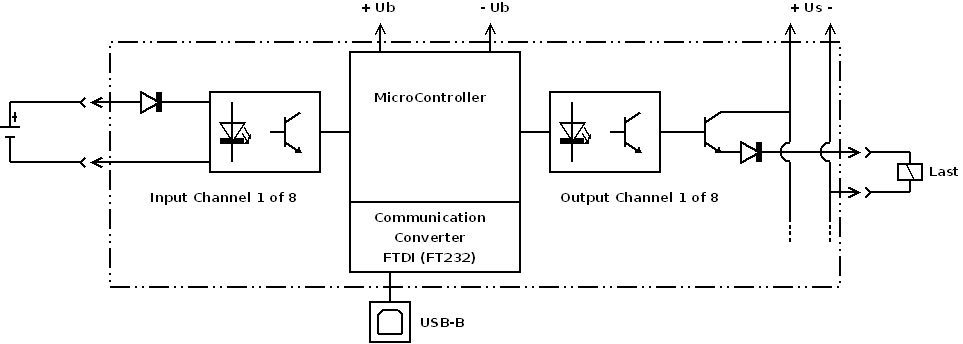 |
| XUP01R | 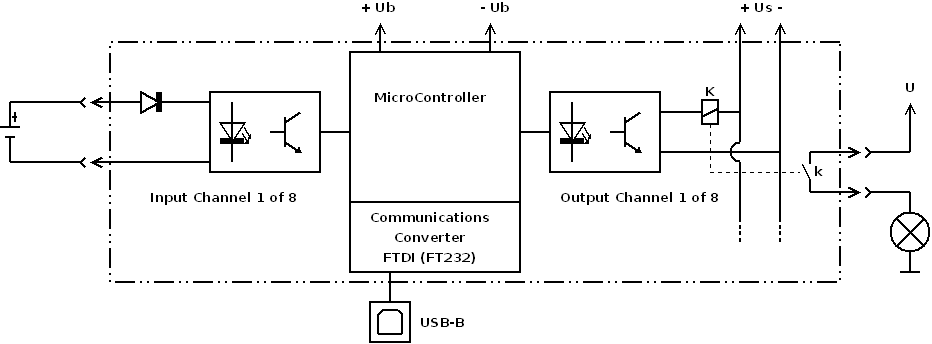 |
Driver Installation
The module appears on the PC as a virtual COM port (VCP) and requires the corresponding FTDI driver. Windows 10 and 11 usually install this driver automatically through Windows Update.
If automatic installation fails, download the driver manually:
- Driver Download: FTDI Chip VCP Drivers
After installation, the module appears in Windows Device Manager under Ports (COM & LPT) as a USB Serial Port, for example COM3. Select this COM-port number in MFR-Setup or your own application.
Available Modules
| Module | Image | Shop Link |
|---|---|---|
| XUP01L | 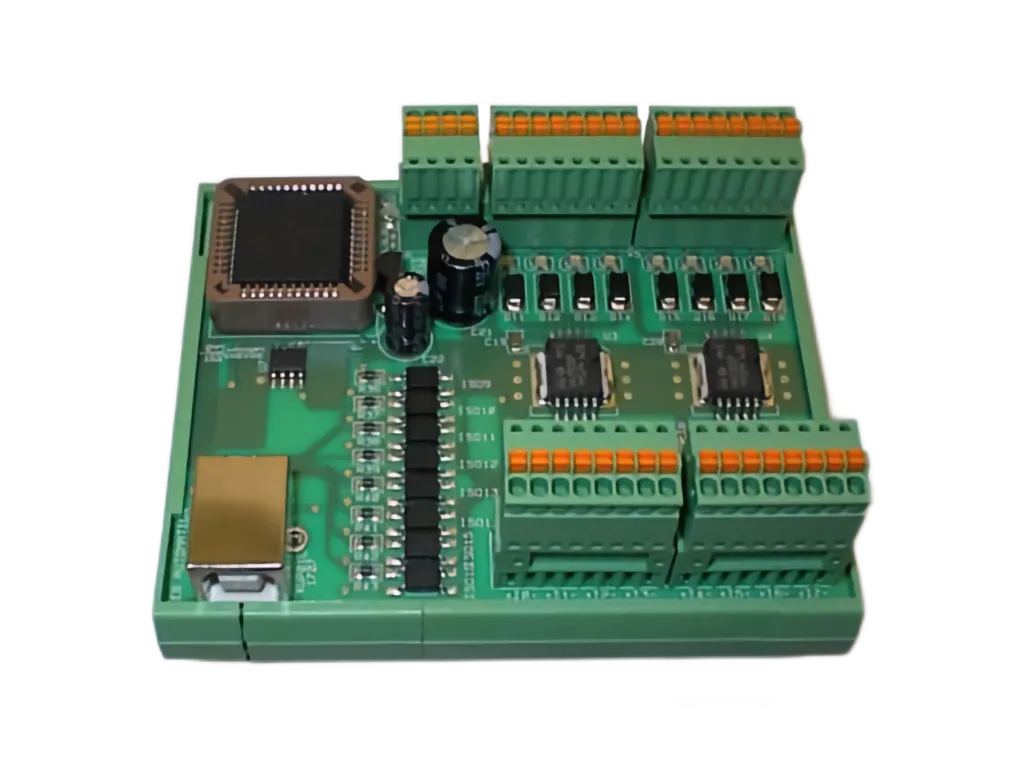 | Webshop |
| XUP01R | 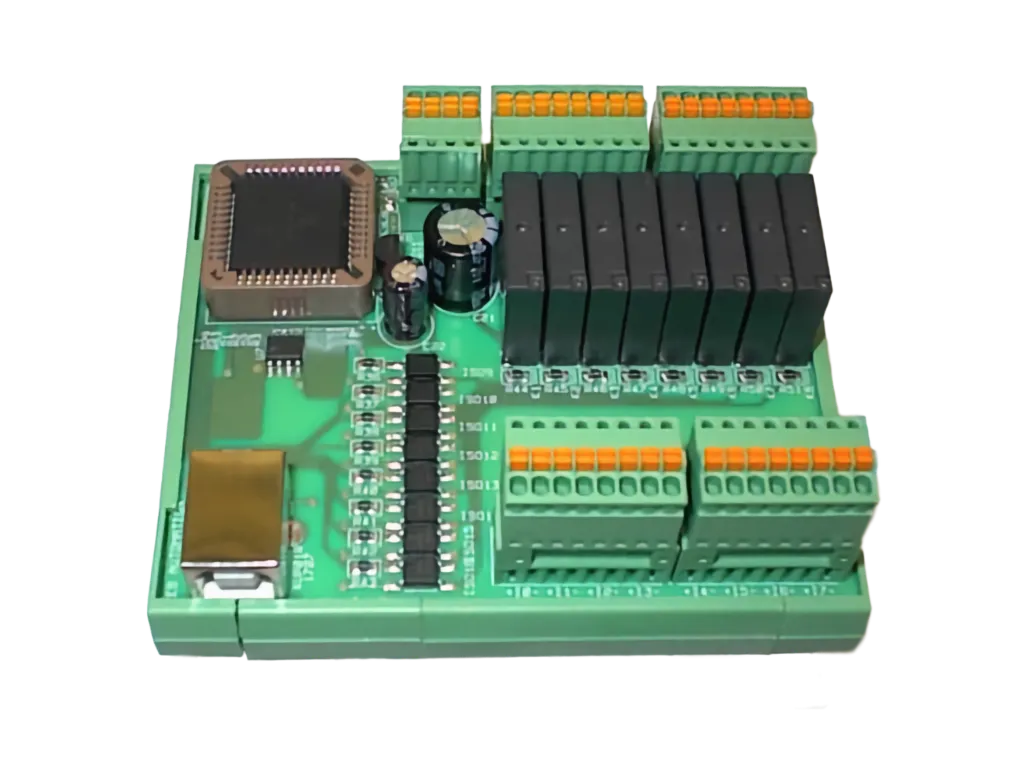 | Webshop |